It's Saturday Night again - time for a little Genealogy Fun. My readers waxed very poetic last week both in comments to my SNGF post and on their own blogs. Well done!
This week, let's do something quick and easy in your genealogy software program. Are you able to calculate an age at death from a birth date and a death date? I usually can. Are you able to calculate a birth date from a death date and an age at death (in years, months, days)? I usually cannot.
Here's the challenge:
1) Open your genealogy software program and search for a "Date Calculator." You could go exploring in your Tools or Options menu, or you could use the Help menu to find it.
2) Open the "Date Calculator" and put in a death date for one of your ancestors and put in an age at death (use the one you know, or just make one up - we're just testing this feature today). Do the same thing by entering a birth date and a death date in the "Date Calculator" and see how old someone was when they died.
3) Tell us what software you're using and where you found the "Date Calculator." Tell us the information you found out from using the "Date Calculator."
You can get extra credit if you ask a genea-blogger for a date and calculate how many years... um, maybe not.
For my first example: Elizabeth Horton (Dill) Smith died in Leominster, Massachusetts on 28 November 1869, at the age of 75 years, 6 months, 9 days (according to the information on her death certificate in Leominster). I opened RootsMagic 4, found the "Date Calculator" in the Tools menu, entered the death date and age, and found that she was born on 19 May 1794 according to the available information. In RM 4, I had to click on the "Calculator" icon to the right of the blank Birth date box in order to obtain the result.
For my second example, I wanted to know how old Elizabeth (Dill) Smith would be today. So I blanked out the age at death, used the birth date 19 May 1794, and the current date of 25 April 2009 and clicked on the "Calculator" icon next to the Age box and found that she was born 214 years, 11 months and 6 days ago.
Go play in your database and have some genealogy fun!
Saturday, April 25, 2009

Working in RootsMagic 4 - Post 15: Creating Lists - Part 4
I downloaded the free RootsMagic 4 beta release in early March, and purchased the program on 30 March. I easily uploaded my Family Tree Maker file to it. In this series, I'm looking at different features of RootsMagic 4. I'm not doing a comprehensive review, just looking at features important to me.
Previous posts in this series include:
* Working in RootsMagic 4 - Post 1: Navigation
* Working in RootsMagic 4 - Post 2: Editing Person Data
* Working in RootsMagic 4 - Post 3: Adding a Child to the Family
* Working in RootsMagic 4 - Post 4A: Creating a Pedigree Chart
* Working in RootsMagic 4 - Post 4B: Creating a Pedigree Chart
* Working in RootsMagic 4 - Post 5: Creating a Family Group Sheet
* Working in RootsMagic 4 - Post 6: Creating a Narrative Ancestors Report
* Working in RootsMagic 4 - Post 7: Creating a Narrative Descendants Report
* Working in RootsMagic 4 - Post 8: Creating a Wall Chart
* Working in RootsMagic 4 - Post 9: Creating a Timeline Chart
* Working in RootsMagic 4 - Post 10: Creating a Box Chart
* Working in RootsMagic 4 - Post 11: Creating a Relationship Chart
* Working in RootsMagic 4 - Post 12: Creating Lists - Part 1
* Working in RootsMagic 4 - Post 13: Creating Lists - Part 2
* Working in RootsMagic 4 - Post 14: Creating Lists - Part 3
In this post, I'm going to look at several more of the Lists that can be created using the Reports > Lists menu. In the "Family" View with myself highlighted, I clicked on the "Report" menu item and clicked the "Lists" option. The Lists menu opened and I maximized it so that I could see all of the icons. I chose "All Reports" from the left hand column and the 33 list options showed (in icon format). The next five (16 to 20) are (I'm going to show only the reports, not the steps to create them from now on):
16) LDS Ordinance List - a list of LDS Ordinances in the database. The report screen looks like this:
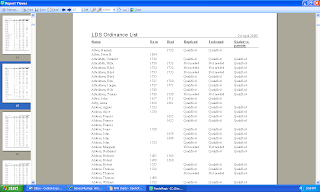
17) Marriage List - a list of the couples in the database:

18) Missing Information List - a list of missing information:
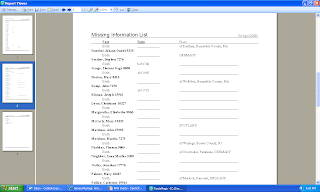
19) Multimedia List - a list of multimedia in the database. I don't have any yet - it looks like a list of names from the database and the names of the media items in the directory.
20) Narrative Report - a narrative ancestor or descendant genealogy where RootsMagic writes the sentences for you. This was covered in Post 6 and Post 7 of this series.
I'll look at several more of these List items in the next post.
Previous posts in this series include:
* Working in RootsMagic 4 - Post 1: Navigation
* Working in RootsMagic 4 - Post 2: Editing Person Data
* Working in RootsMagic 4 - Post 3: Adding a Child to the Family
* Working in RootsMagic 4 - Post 4A: Creating a Pedigree Chart
* Working in RootsMagic 4 - Post 4B: Creating a Pedigree Chart
* Working in RootsMagic 4 - Post 5: Creating a Family Group Sheet
* Working in RootsMagic 4 - Post 6: Creating a Narrative Ancestors Report
* Working in RootsMagic 4 - Post 7: Creating a Narrative Descendants Report
* Working in RootsMagic 4 - Post 8: Creating a Wall Chart
* Working in RootsMagic 4 - Post 9: Creating a Timeline Chart
* Working in RootsMagic 4 - Post 10: Creating a Box Chart
* Working in RootsMagic 4 - Post 11: Creating a Relationship Chart
* Working in RootsMagic 4 - Post 12: Creating Lists - Part 1
* Working in RootsMagic 4 - Post 13: Creating Lists - Part 2
* Working in RootsMagic 4 - Post 14: Creating Lists - Part 3
In this post, I'm going to look at several more of the Lists that can be created using the Reports > Lists menu. In the "Family" View with myself highlighted, I clicked on the "Report" menu item and clicked the "Lists" option. The Lists menu opened and I maximized it so that I could see all of the icons. I chose "All Reports" from the left hand column and the 33 list options showed (in icon format). The next five (16 to 20) are (I'm going to show only the reports, not the steps to create them from now on):
16) LDS Ordinance List - a list of LDS Ordinances in the database. The report screen looks like this:

17) Marriage List - a list of the couples in the database:

18) Missing Information List - a list of missing information:

19) Multimedia List - a list of multimedia in the database. I don't have any yet - it looks like a list of names from the database and the names of the media items in the directory.
20) Narrative Report - a narrative ancestor or descendant genealogy where RootsMagic writes the sentences for you. This was covered in Post 6 and Post 7 of this series.
I'll look at several more of these List items in the next post.
Friday, April 24, 2009
Special Offer on Footnote for NEHGS Subscribers
A colleague passed this to me today - New England Historic Genealogical Society members can subscribe to Footnote.com for $50.95, a 30% reduction from the retail $69.95 price. Here is the screen from the NEHGS web site page at http://www.newenglandancestors.org/6942.asp#footnote.
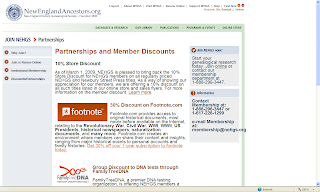


If you click on the link "Get 30% off your 1-year subscription to footnote today. in the Footnote section above, you get the special Footnote.com page at http://go.footnote.com/familyhistory.php?t=NEHGS&xid=350:

If you click on the "Join Now" button you can sign up for the special discount for NEHGS members.
I'm already subscribed to Footnote, and i'm a member of NEHGS, so this won't help me right now, but perhaps it is a standing offer that I can take advantage of when it's time to renew my membership.
Have you checked USGenNet.org Databases?
While pursuing my seemingly never-ending search for Lam/Lanphere/phear/phier/fear/fire/fier/etc. people, especially in northern New York, I ran across the http://www.usgennet.org/ web site, which has user-contributed data.
The Search of the databases can be started from http://www.usgennet.org/search/ (two screens here):
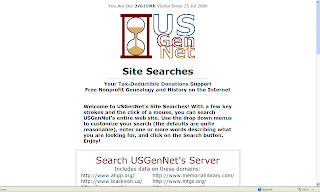

The Search of the databases can be started from http://www.usgennet.org/search/ (two screens here):


The search can be performed for all of the records from the Search box above the "More USGenNet Site Searches" line, or the user can choose a state to search in. In the Search box above, I entered "Lamph*" as the search parameter. The results showed:
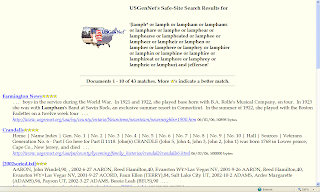
There are 43 results for Lamph*. The top of the screen shows the name variations that the site found in the 43 matches. I like knowing what variations it found.

There are 43 results for Lamph*. The top of the screen shows the name variations that the site found in the 43 matches. I like knowing what variations it found.
I entered "Lanf*" in the Search box and got 30 matches, including the list of surnames that start with Lanf.
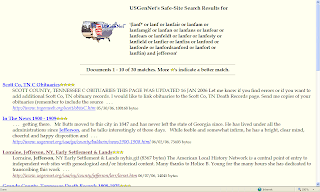
The user can look at the variations and get ideas for name searches on other sites that don't permit wild cards. Note that the names are not from a Soundex or similar algorithm. If they had been, the first search would have found Lanfear and other names that Soundex the same.

The user can look at the variations and get ideas for name searches on other sites that don't permit wild cards. Note that the names are not from a Soundex or similar algorithm. If they had been, the first search would have found Lanfear and other names that Soundex the same.
The www.USGenNet.org site has grown in recent years, to the point that there are over 68,000 documents accessed by a search of the site (I used "joh*" as a search parameter). Once you are in a document you have to read it or use the Edit>Find menu to find your search term.
Doing a "reasonably exhaustive search" requires looking in every database site possible. I always check this one!
Adding Quality Source Citations to Genealogy Software Through Technology
I posted last Sunday, in "A Better Way to Cite Online Sources" Video, Mark Tucker's suggestion to find a way to simplify the source citation process in genealogy software. Mark's press release was posted on the Association of Professional Genealogists (APG) mailing list here. The press release included:
"Although great advances have been made in recent years to standardize and simplify citations, it is still too difficult. Today onThinkGenealogy.com a video was released that proposes a better way to cite online sources.
http://www.thinkgenealogy.com/better-online-citations/
"This 7.5 minute video consists of two sections. The first section discusses some of the current issues with citing sources especially when it comes to online sources. The second section demonstrates an approach to quickly and accurately cite online sources. The technology needed to accomplish this exists today. The changes proposed by this video requires collaboration between various providers of genealogy software and services."
What Mark has proposed is that the genealogy community (writers, professionals, researchers, publishers, etc.) work with genealogy data providers (like FamilySearch, Ancestry, Footnote, WorldVitalRecords, etc.) and genealogy software companies (like Family Tree Maker, Legacy, RootsMagic, TMG, etc.) to create and implement the changes needed to bring source citations that meet the Evidence! Explained (EE) standards from the databases into source citations in the software.
After Mark posted his press release on the APG mailing list, there were numerous responses by list readers with examples of poorly crafted database citations and even some comments that perhaps what Mark suggests cannot be done in a satisfactory way.
Elizabeth Shown Mills comment noted that:
"These 'problems' do exist in citations furnished by virtually all data providers and repositories that supply what are purported to be 'ready-made citations'--even among those that supposedly follow the same citation guide. The differences, of course, are generated by the humans who use the guide to create their own interpretations of what that guide recommends.
"Am I correct, Mark, in presuming that the software will simply capture whatever citation the provider uses? Then it will still be up to users to knowledgeably review what has been dumped into their research files and make whatever corrections are needed? "
Mark Tucker responded:
"That is correct. Because the proposal requires that organizations that provide access to online sources provide quality citations, this issue must be solved.
"In my career world of business and software there are various certifications that individuals or corporations can obtain.
"What if there were Certified Citation Specialists or a Citation Black Belt Certification? Organizations that provided content online could certify the individuals responsible for citing sources and obtain recognition for doing so. This training/certification would teach not only citation models but the nuances behind them-the 'why' and not just the 'what' of the citation."
There are many more posts and cogent comments in this thread which has persisted all week on the mailing list. Please read the whole thread for content and context. As I've pointed out before, the APG list is one of the very best places to discuss genealogy community issues in a (usually) civil manner.
Mark's idea of the community, the database providers and software providers working together is an excellent one. His suggestion of "How to do it" to make the miracle of "a standard EE-style source citation appear for a Fact in the software program with a single click" (my words) is very useful - perhaps it can be improved upon when (if?) the parties start working on the issue.
Mark also provided a short blueprint of what needs to be done in his post here:
"* That the genealogy community (genealogists, family historians, software companies, subscription database sites, etc.) adopt the Evidence Explained citation style for genealogy research
* That the major providers of online records (Ancestry, FamilySearch, Footnote, World Vital Records, GenSeek, etc.) start providing EE-style citations for all new records.
* That the major providers of online records establish a plan to add EE-style citation to their existing databases.
* That the citation be provided as both human-readable text as well as a standard computer-readable file format.
* That this file format be defined as a collaborative effort by representatives of the major parties involved.
* That this file format supports the level of detail provided by the EE QuickCheck models and allows for additional information such as references to digitized images, transcripts, and association with information such as people, places, dates, and events.
* That genealogy software companies add support to their applications to import this file format.
* That genealogy software that allows for creation of websites using a researcher's personal database, support the creation of pages that provide links to citation files."
My views include:
* Mark's proposal was excellent, and some sort of working group should be formed to explore it, perhaps under APG or BCG auspices.
* Some genealogy database provider source citations are poorly crafted - the APG thread notes some of them. One of my examples is how Ancestry.com sources census records when they are brought into Family Tree Maker 2009 via a Web Search Merge - it does not include the microfilm Roll Number, Enumeration District or Page Number. The user has to edit the source citation to add them.
* The task of "fixing" already created source citation boilerplate, and creating a standard source format for transfer from database to software program, will cost significant money and time. Will the database providers take on the task?
* "Perfect is the enemy of the good." How good do the resulting EE-style source citations have to be? It may be that, if they have to be "perfect," the task will be abandoned. If they can be made "good enough" (to some group's standard), then every genealogy researcher can efficiently add "good citations" to their database. The best researchers will then edit them in their software to "perfect" them.
I can just see Mark Tucker, footnoteMaven, Elizabeth Mills and other "source citation experts" singing "(I'm Picking Up) Good Citations" (remember "Good Vibrations" by the Beach Boys in about 1965? I'm dating myself here, eh?) in a karaoke bar at a genealogy conference. And evetybody else singing along.
"Although great advances have been made in recent years to standardize and simplify citations, it is still too difficult. Today onThinkGenealogy.com a video was released that proposes a better way to cite online sources.
http://www.thinkgenealogy.com/better-online-citations/
"This 7.5 minute video consists of two sections. The first section discusses some of the current issues with citing sources especially when it comes to online sources. The second section demonstrates an approach to quickly and accurately cite online sources. The technology needed to accomplish this exists today. The changes proposed by this video requires collaboration between various providers of genealogy software and services."
What Mark has proposed is that the genealogy community (writers, professionals, researchers, publishers, etc.) work with genealogy data providers (like FamilySearch, Ancestry, Footnote, WorldVitalRecords, etc.) and genealogy software companies (like Family Tree Maker, Legacy, RootsMagic, TMG, etc.) to create and implement the changes needed to bring source citations that meet the Evidence! Explained (EE) standards from the databases into source citations in the software.
After Mark posted his press release on the APG mailing list, there were numerous responses by list readers with examples of poorly crafted database citations and even some comments that perhaps what Mark suggests cannot be done in a satisfactory way.
Elizabeth Shown Mills comment noted that:
"These 'problems' do exist in citations furnished by virtually all data providers and repositories that supply what are purported to be 'ready-made citations'--even among those that supposedly follow the same citation guide. The differences, of course, are generated by the humans who use the guide to create their own interpretations of what that guide recommends.
"Am I correct, Mark, in presuming that the software will simply capture whatever citation the provider uses? Then it will still be up to users to knowledgeably review what has been dumped into their research files and make whatever corrections are needed? "
Mark Tucker responded:
"That is correct. Because the proposal requires that organizations that provide access to online sources provide quality citations, this issue must be solved.
"In my career world of business and software there are various certifications that individuals or corporations can obtain.
"What if there were Certified Citation Specialists or a Citation Black Belt Certification? Organizations that provided content online could certify the individuals responsible for citing sources and obtain recognition for doing so. This training/certification would teach not only citation models but the nuances behind them-the 'why' and not just the 'what' of the citation."
There are many more posts and cogent comments in this thread which has persisted all week on the mailing list. Please read the whole thread for content and context. As I've pointed out before, the APG list is one of the very best places to discuss genealogy community issues in a (usually) civil manner.
Mark's idea of the community, the database providers and software providers working together is an excellent one. His suggestion of "How to do it" to make the miracle of "a standard EE-style source citation appear for a Fact in the software program with a single click" (my words) is very useful - perhaps it can be improved upon when (if?) the parties start working on the issue.
Mark also provided a short blueprint of what needs to be done in his post here:
"* That the genealogy community (genealogists, family historians, software companies, subscription database sites, etc.) adopt the Evidence Explained citation style for genealogy research
* That the major providers of online records (Ancestry, FamilySearch, Footnote, World Vital Records, GenSeek, etc.) start providing EE-style citations for all new records.
* That the major providers of online records establish a plan to add EE-style citation to their existing databases.
* That the citation be provided as both human-readable text as well as a standard computer-readable file format.
* That this file format be defined as a collaborative effort by representatives of the major parties involved.
* That this file format supports the level of detail provided by the EE QuickCheck models and allows for additional information such as references to digitized images, transcripts, and association with information such as people, places, dates, and events.
* That genealogy software companies add support to their applications to import this file format.
* That genealogy software that allows for creation of websites using a researcher's personal database, support the creation of pages that provide links to citation files."
My views include:
* Mark's proposal was excellent, and some sort of working group should be formed to explore it, perhaps under APG or BCG auspices.
* Some genealogy database provider source citations are poorly crafted - the APG thread notes some of them. One of my examples is how Ancestry.com sources census records when they are brought into Family Tree Maker 2009 via a Web Search Merge - it does not include the microfilm Roll Number, Enumeration District or Page Number. The user has to edit the source citation to add them.
* The task of "fixing" already created source citation boilerplate, and creating a standard source format for transfer from database to software program, will cost significant money and time. Will the database providers take on the task?
* "Perfect is the enemy of the good." How good do the resulting EE-style source citations have to be? It may be that, if they have to be "perfect," the task will be abandoned. If they can be made "good enough" (to some group's standard), then every genealogy researcher can efficiently add "good citations" to their database. The best researchers will then edit them in their software to "perfect" them.
I can just see Mark Tucker, footnoteMaven, Elizabeth Mills and other "source citation experts" singing "(I'm Picking Up) Good Citations" (remember "Good Vibrations" by the Beach Boys in about 1965? I'm dating myself here, eh?) in a karaoke bar at a genealogy conference. And evetybody else singing along.
Thursday, April 23, 2009
When Genea-bloggers meet...
they discuss, laugh, share and usually have a meal together!
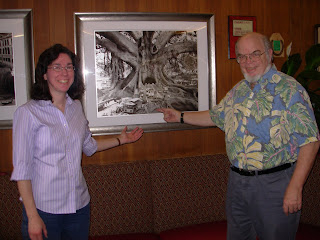
Genea-blogger par excellence Donna Pointkouski (What's Past is Prologue is a great blog!) was in San Diego this week to attend business meetings associated with her work. We connected and went out to dinner (with my wife, Angel Linda) on Wednesday night. Here's a picture of Donna and Randy admiring a picture of a very large tree in the restaurant lobby:
What did we talk about? Our work, our families, our family history, our blogging, our genealogy friends, family stories, places we've been, people we've met, people we want to meet, etc.
There is a camaraderie amongst genea-bloggers, even those who have never met in person. We've read each others posts and feel like we are colleagues in a bigger enterprise, and that we are already friends, even though we've never met in person. In the beginning, it's kind of like being a distant cousin - you know who they are, what they do, but you've never met them. Eventually, the relationship becomes like that of a closer cousin - you visit with them (online or in person), exchange notes, tweets, letters and pictures, and get an impression of the whole person and not just the words. The Facebook genealogy community and the Genea-bloggers group has really helped to provide some insight into another bloggers interests and experience.
Many genea-bloggers are invisible to the larger genealogy community, and blogging is a way of raising visibility while honing a writing and story-telling craft. More genea-bloggers are becoming visible in a good way - their work is read more widely, they submit or are invited to write magazine articles or be a columnist, and thereby enter the established genealogy community. For example, Donna writes articles for the Moorshead magazines and has a monthly column on the Shades of the Departed blog.
After dinner, we drove Donna around San Diego Bay and out to Ocean Beach for a look at the ocean. She has been to San Diego before so knew about some of the areas and attractions. We drove for an hour through Balboa Park, downtown through the Gaslamp district and around Petco Park, along the bay past the USS Midway, the Cruise Terminal and the Star of India, then out to Point Loma along Shelter Island, then up in the hills for my favorite San Diego view spot (above the house my grandparents built), and finally to Sunset Cliffs along Ocean Beach before heading back to her hotel on Harbor Island.
We had a great time -- and a good dinner, too. Were any genea-bloggers ears burning last night? {BG}
Genea-blogger par excellence Donna Pointkouski (What's Past is Prologue is a great blog!) was in San Diego this week to attend business meetings associated with her work. We connected and went out to dinner (with my wife, Angel Linda) on Wednesday night. Here's a picture of Donna and Randy admiring a picture of a very large tree in the restaurant lobby:

What did we talk about? Our work, our families, our family history, our blogging, our genealogy friends, family stories, places we've been, people we've met, people we want to meet, etc.
There is a camaraderie amongst genea-bloggers, even those who have never met in person. We've read each others posts and feel like we are colleagues in a bigger enterprise, and that we are already friends, even though we've never met in person. In the beginning, it's kind of like being a distant cousin - you know who they are, what they do, but you've never met them. Eventually, the relationship becomes like that of a closer cousin - you visit with them (online or in person), exchange notes, tweets, letters and pictures, and get an impression of the whole person and not just the words. The Facebook genealogy community and the Genea-bloggers group has really helped to provide some insight into another bloggers interests and experience.
Many genea-bloggers are invisible to the larger genealogy community, and blogging is a way of raising visibility while honing a writing and story-telling craft. More genea-bloggers are becoming visible in a good way - their work is read more widely, they submit or are invited to write magazine articles or be a columnist, and thereby enter the established genealogy community. For example, Donna writes articles for the Moorshead magazines and has a monthly column on the Shades of the Departed blog.
After dinner, we drove Donna around San Diego Bay and out to Ocean Beach for a look at the ocean. She has been to San Diego before so knew about some of the areas and attractions. We drove for an hour through Balboa Park, downtown through the Gaslamp district and around Petco Park, along the bay past the USS Midway, the Cruise Terminal and the Star of India, then out to Point Loma along Shelter Island, then up in the hills for my favorite San Diego view spot (above the house my grandparents built), and finally to Sunset Cliffs along Ocean Beach before heading back to her hotel on Harbor Island.
We had a great time -- and a good dinner, too. Were any genea-bloggers ears burning last night? {BG}
Using Ancestry.com's Hot Keys
I have been using the "Old Search" screen on www.Ancestry.com almost exclusively since the "New Search" was introduced in 2008. I've been using "Exact Matches" almost exclusively, instead of "Fuzzy Matches" (meaning Ancestry uses an algorithm of some sort to find records that best match the search criteria input by the user - for names it uses some sort of name dictionary and a Soundex like mechanism).
Ever since the "New Search" was introduced, it was apparent that it would eventually supplant the "Old Search" completely. That time hasn't come yet, but it may be approaching. To their credit, Ancestry has been improving the "New Search" user interface and the search algorithm.
I looked at "New Search" again today, and found some interesting things, including the Hot Keys (introduced in October 2008 - see Anne Mitchell's Ancestry.com blog post here). Let me walk you through some screens.
In "New Search," when I click the "Search" button on the top of the Ancestry home page, this screen appears:
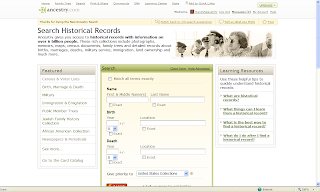
The Search box has entries for Name, Birth, Death and Collections. The user can check the "Exact" boxes for each criterion. On the left side of the screen is a list of the major collections. I like all of that (I really like Search boxes and links that make my path to a desired database easier).
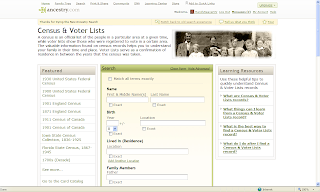
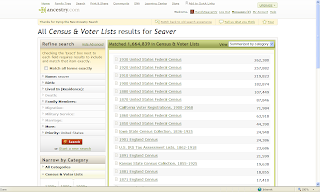
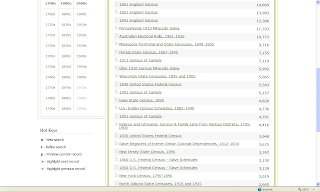
For this demonstration, I want to search Census Records for Isaac Seaver, born in 1823. I clicked on the Census and Voter Lists link and this web page appeared (two screens shown):

I want to narrow my search to a specific person - Isaac Seaver born in MA in 1823. I could click on one or more of the items in the "Refine Search" box on the left side of the screen near the top of the page. That involves a click for each item, and entry of the revised search parameters.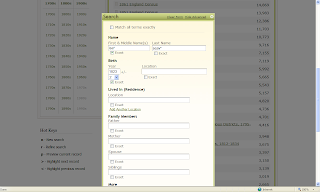
I used this Search box to change my search parameters - I chose First name = "Isa*" and Last name = "Seav*" and added a Birth Year = "1823" with a +/- 2 year range. I clicked the "Exact" box for all three parameters. The capability to select "Exact" for any of the search parameters was added last year also. I love the flexibility of it - no other database provider has this flexibility as far as I can tell.
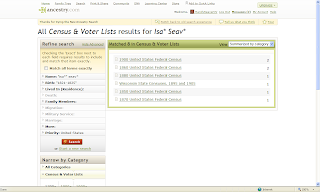
I selected the 1900 US Census from the list, and there were two matches. I could run my mouse over the "View Record" link for each one and see the "Preview" for that record (shown below):
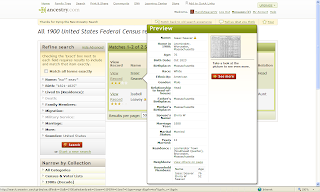
Instead, I could have typed the Hot Key = "p" (without the quotes) and seen the Preview of the first record. I tried to find a way to see the Preview of the second record using "p" but it didn't work for me. I tried to use the Hot Key = ">" (meaning Shift and >) to highlight and to see the preview of the next record and that didn't work. What did work was typing the "." key - the lower case of the > symbol. Likewise, the "," key moves the highlight and the preview to the previous record (rather than Shift and <).
The Hot Keys work well, and should be very useful for all researchers using the "New Search." Now that I've figured them out, I will use them extensively, since I love Search boxes and have not liked the "Refine Search" process on "New Search."
Ever since the "New Search" was introduced, it was apparent that it would eventually supplant the "Old Search" completely. That time hasn't come yet, but it may be approaching. To their credit, Ancestry has been improving the "New Search" user interface and the search algorithm.
I looked at "New Search" again today, and found some interesting things, including the Hot Keys (introduced in October 2008 - see Anne Mitchell's Ancestry.com blog post here). Let me walk you through some screens.
In "New Search," when I click the "Search" button on the top of the Ancestry home page, this screen appears:

The Search box has entries for Name, Birth, Death and Collections. The user can check the "Exact" boxes for each criterion. On the left side of the screen is a list of the major collections. I like all of that (I really like Search boxes and links that make my path to a desired database easier).
For this demonstration, I want to search Census Records for Isaac Seaver, born in 1823. I clicked on the Census and Voter Lists link and this web page appeared (two screens shown):


At the bottom of the page, I could navigate to any other record collection if I wished to rather than go back a screen.
I can input my target person in the search box - I entered Last Name = "Seaver." I clicked the "Search" box and the Search results came up (two screens):
I can input my target person in the search box - I entered Last Name = "Seaver." I clicked the "Search" box and the Search results came up (two screens):


I want to narrow my search to a specific person - Isaac Seaver born in MA in 1823. I could click on one or more of the items in the "Refine Search" box on the left side of the screen near the top of the page. That involves a click for each item, and entry of the revised search parameters.
On the left side, and near the bottom, of the web page is a list of the Hot Keys (added in 2008). They include:
n = New Search
n = New Search
r = Refined Search
p = Preview current record
> = Highlight next record
< = Highlight previous record
Rather than use the "Refine Search" entries near the top of the page to modify my search criteria, I could just type "r" (without the quotes) and a complete Search box appears:

I used this Search box to change my search parameters - I chose First name = "Isa*" and Last name = "Seav*" and added a Birth Year = "1823" with a +/- 2 year range. I clicked the "Exact" box for all three parameters. The capability to select "Exact" for any of the search parameters was added last year also. I love the flexibility of it - no other database provider has this flexibility as far as I can tell.
Then I clicked "Search" and the refined search matches were obtained:

I selected the 1900 US Census from the list, and there were two matches. I could run my mouse over the "View Record" link for each one and see the "Preview" for that record (shown below):

Instead, I could have typed the Hot Key = "p" (without the quotes) and seen the Preview of the first record. I tried to find a way to see the Preview of the second record using "p" but it didn't work for me. I tried to use the Hot Key = ">" (meaning Shift and >) to highlight and to see the preview of the next record and that didn't work. What did work was typing the "." key - the lower case of the > symbol. Likewise, the "," key moves the highlight and the preview to the previous record (rather than Shift and <).
The Hot Keys work well, and should be very useful for all researchers using the "New Search." Now that I've figured them out, I will use them extensively, since I love Search boxes and have not liked the "Refine Search" process on "New Search."
However, the Hot Keys should be much more visible to users - I think that they should be put at the top of the page above the "Refine Search" area. They are much easier to use than the "Refine Search" tools.
I would go one step further - the "n" and "r" keys don't work on the record summary or record image pages. Often, when I'm done with a record, I want to go to a Search box and either start a new search or refine the current search. Presently, I either scroll back one page at a time, or go to the "Recent pages" down arrow near the Back browser button and select a previous page with a Search obx). I recommend that Ancestry enable the "n" and "r" Hot Keys on the record summary and record image pages. "Time is money" for many researchers, and being able to navigate quickly to a new or current search box would be very useful.
Ancestry has significantly improved the "New Search" navigation and user interface to the point where I will use it as my primary user interface. Hopefully, they will continue to improve the user interface to make it easy to navigate and intuitive to use - for both novice and experienced users.
Wednesday, April 22, 2009
Electronic Genealogy Magazine Publication
I received my invitation to download the April 2009 issue of The New England Historical and Genealogical Register yesterday, so I did, read it, printed off an article for one of my ancestral families, and saved it to my hard drive for future reference. When NEHGS offered an electronic copy in lieu of a printed copy, I jumped at it. NEHGS has not reduced the price of their membership, though.
I read yesterday that FORUM, the magazine of the Federation of Genealogical Societies, will be published only in electronic download format starting with the Summer 2009 issue.
My under-window bookcases groan under the weight of about 15 years of NEHGR and many other journals and magazines. My piles fall over sometimes. There is no more room! I welcome electronic distribution of magazines and newsletters! I have a lot more hard drive and flash drive space than physical space, and I can take the electronic versions with me on a flash drive. Not to mention saving publishing and mailing costs.
Last year, Everton's Genealogical Helper offered an electronic download version of their magazine for a reduced price of $12 per year (vs. $29 per year for the print issue). I jumped at that opportunity also - it was a great price for a wealth of information. It saved many trees, I'm sure, not to mention mailing costs.
There are at least two other genealogy magazines that offer electronic download format - Internet Genealogy (with a printed option) and The Digital Genealogist. I subscribe to the Internet Genealogy magazine (and just noticed today that they now offer a $15 download price and a $21 print price) but not Digital Genealogist (which is only a download for $25 yearly). Both offer 6 issues per year.
Ancestry Magazine is available in a web page format for free or in print for $17.95 per year.
What about the other genealogy magazines? Family Tree Magazine, Family Chronicle and Discovering Family History are still print only, as far as I know.
Am I missing any nationally published magazines in the USA?
What about other genealogical societies? The National Genealogical Society sends a print version of the NGS Quarterly and NGS News Magazine to subscribers, but offers an electronic download of NGSQ on their subscription web site. I don't subscribe to other national, regional or state publications, so I'm not aware of other society periodicals in electronic format.
The trend is toward offering electronic versions of genealogy magazines and periodicals, but not every publication offers a reduced price for the electronic version.
When will the print-only magazines decide to offer a reduced price for their magazines? Or will the economy force some of the other magazines to increase their prices. Will the economy sort this out, with some magazines folding or being absorbed by others?
What is the market here? Is it already saturated with magazines? Each magazine has a fairly unique style that bodes well for their survival. My impression is that the magazines are subscribed to by a fairly small percentage of genealogy researchers, and many (like me) subscribe to two or more magazines.
Updated 4/23: Readers Valerie C. and Diane Haddad commented that Family Tree Magazine has downloadable issues of the magazine for $5.99 each here, but does not offer a digital subscription.
Updated 4/25: I edited several paragraphs above a bit to be more accurate. Elizabeth Kerstens Kelley, who publishes Digital Genealogist magazine, asked if price was my only criteria in this post. She pointed out that her magazine has 6 issues per year, each with almost 50 pages of content without advertising, and that is why the price of the magazine is higher than some others - there is no advertising revenue to offset publishing costs. I agree that an apples to apples comparison would judge the number of content pages, the quality of the authors, etc. I didn't do that in this post - I was more interested in making the point that some offer a reduced price for a digital download from the print version and some don't offer digital downloads at all.
Frank Slaton asked if any genealogy magazines or blogs offer Kindle subscriptions yet. I think the concept is a great idea. I don't think any of them do yet, but if the demand was high enough, I'm sure that the publishers would jump on the idea. Is Kindle only for commercial subscriptions? I haven't looked at it in detail. Can a Kindle owner put their own content on the Kindle, or is it strictly a download through a subscription provider? Interesting question.
I read yesterday that FORUM, the magazine of the Federation of Genealogical Societies, will be published only in electronic download format starting with the Summer 2009 issue.
My under-window bookcases groan under the weight of about 15 years of NEHGR and many other journals and magazines. My piles fall over sometimes. There is no more room! I welcome electronic distribution of magazines and newsletters! I have a lot more hard drive and flash drive space than physical space, and I can take the electronic versions with me on a flash drive. Not to mention saving publishing and mailing costs.
Last year, Everton's Genealogical Helper offered an electronic download version of their magazine for a reduced price of $12 per year (vs. $29 per year for the print issue). I jumped at that opportunity also - it was a great price for a wealth of information. It saved many trees, I'm sure, not to mention mailing costs.
There are at least two other genealogy magazines that offer electronic download format - Internet Genealogy (with a printed option) and The Digital Genealogist. I subscribe to the Internet Genealogy magazine (and just noticed today that they now offer a $15 download price and a $21 print price) but not Digital Genealogist (which is only a download for $25 yearly). Both offer 6 issues per year.
Ancestry Magazine is available in a web page format for free or in print for $17.95 per year.
What about the other genealogy magazines? Family Tree Magazine, Family Chronicle and Discovering Family History are still print only, as far as I know.
Am I missing any nationally published magazines in the USA?
What about other genealogical societies? The National Genealogical Society sends a print version of the NGS Quarterly and NGS News Magazine to subscribers, but offers an electronic download of NGSQ on their subscription web site. I don't subscribe to other national, regional or state publications, so I'm not aware of other society periodicals in electronic format.
The trend is toward offering electronic versions of genealogy magazines and periodicals, but not every publication offers a reduced price for the electronic version.
When will the print-only magazines decide to offer a reduced price for their magazines? Or will the economy force some of the other magazines to increase their prices. Will the economy sort this out, with some magazines folding or being absorbed by others?
What is the market here? Is it already saturated with magazines? Each magazine has a fairly unique style that bodes well for their survival. My impression is that the magazines are subscribed to by a fairly small percentage of genealogy researchers, and many (like me) subscribe to two or more magazines.
Updated 4/23: Readers Valerie C. and Diane Haddad commented that Family Tree Magazine has downloadable issues of the magazine for $5.99 each here, but does not offer a digital subscription.
Updated 4/25: I edited several paragraphs above a bit to be more accurate. Elizabeth Kerstens Kelley, who publishes Digital Genealogist magazine, asked if price was my only criteria in this post. She pointed out that her magazine has 6 issues per year, each with almost 50 pages of content without advertising, and that is why the price of the magazine is higher than some others - there is no advertising revenue to offset publishing costs. I agree that an apples to apples comparison would judge the number of content pages, the quality of the authors, etc. I didn't do that in this post - I was more interested in making the point that some offer a reduced price for a digital download from the print version and some don't offer digital downloads at all.
Frank Slaton asked if any genealogy magazines or blogs offer Kindle subscriptions yet. I think the concept is a great idea. I don't think any of them do yet, but if the demand was high enough, I'm sure that the publishers would jump on the idea. Is Kindle only for commercial subscriptions? I haven't looked at it in detail. Can a Kindle owner put their own content on the Kindle, or is it strictly a download through a subscription provider? Interesting question.
Why does Ancestry.com do this?
I was excited to see Border Crossings: From U.S. to Canada, 1908-1935 on the Ancestry.com Recent Genealogy Databases list today - I thought that there might be some useful information there for my Seaver people and some of my colleagues.
I eagerly clicked on it, put Seaver in the surname box and hit the Search button. There were 13 matches. I clicked on one of them and ... I didn't have access to it because it is, apparently, part of the World Deluxe Collection and not the U.S. Deluxe Collection.
Is it because the records are from Canada and not from the USA? But the records may apply to USA residents and be useful to researchers of USA families.
The same thing applies to many of the surname books recently put into the Canada/World Collection - they may have content of USA families but because they were published in Canada, they are in the Canada/World Collection.
It would be helpful if the list of databases on the Card Catalog and the Recent Genealogy Databases lists had a US flag for the USA collection and a World symbol for the World Collection, or flags for the individual country collections(e./g., Canada, UK, Germany, etc.). If there was some indication of the collection, then it would save me time and reduce frustration.
Updated 4/23: I would like to see a sort of double booking when a database has records for two countries. In this case, the database should be available to both USA and Canada subscribers. A database with ships passengers between the UK and the USA should be available to both UK and USA subscribers. Of course, a World subscription makes everything available to the subscriber.
I eagerly clicked on it, put Seaver in the surname box and hit the Search button. There were 13 matches. I clicked on one of them and ... I didn't have access to it because it is, apparently, part of the World Deluxe Collection and not the U.S. Deluxe Collection.
Is it because the records are from Canada and not from the USA? But the records may apply to USA residents and be useful to researchers of USA families.
The same thing applies to many of the surname books recently put into the Canada/World Collection - they may have content of USA families but because they were published in Canada, they are in the Canada/World Collection.
It would be helpful if the list of databases on the Card Catalog and the Recent Genealogy Databases lists had a US flag for the USA collection and a World symbol for the World Collection, or flags for the individual country collections(e./g., Canada, UK, Germany, etc.). If there was some indication of the collection, then it would save me time and reduce frustration.
Updated 4/23: I would like to see a sort of double booking when a database has records for two countries. In this case, the database should be available to both USA and Canada subscribers. A database with ships passengers between the UK and the USA should be available to both UK and USA subscribers. Of course, a World subscription makes everything available to the subscriber.
Cape Cod History and Genealogy web site
I ran across David Kew's Cape Cod History and Genealogy web page yesterday and wanted to share it with my readers. According to his resume, David was born in Wellfleet on the Cape and has been collecting history, genealogy, photographs, stories, etc. about the Cape for a long time.
I was particularly interested in the Genealogy section of his web site. It is mainly about the town of Wellfleet and based on the town records, published books, etc. David says:
"The more of my own genealogy I looked at, the more I realized that I'm at least vaguely connected to nearly everyone who lived in Orleans/ Eastham/ Wellfleet Massachusetts before say 1900 or even 1950. So my long-range goal is to include everyone who lived in 17th-18th century Eastham and 18th-19th century Wellfleet, and this will include many people from the other Lower Cape towns as well. This would be much easier if they hadn't kept using the same limited set of names, generation after generation!"
That is certainly a noble goal and a significant genealogical challenge. The Wellfleet genealogy page is here. The alphabetical surname index of names is here for "Wellfleet, Eastham and beyond" as David says.
As astute readers of Genea-Musings recall, my Elizabeth Horton (Dill) Smith was probably born in Eastham or Wellfleet in the 1790's. David has her in his database, and indicates her parents are Thomas and Hannah (Horton) Dill and he quotes my blog post noted above for EHD.
I appreciate David Kew's efforts to put everything related to his home town in one database. It is a tremendous effort. Wouldn't it be great if there were more web sites like this? Putting genealogy data from original sources on the Internet will help researchers find their folks. Putting them in family groups is also helpful, but can be fraught with errors. Researcher beware!
I was particularly interested in the Genealogy section of his web site. It is mainly about the town of Wellfleet and based on the town records, published books, etc. David says:
"The more of my own genealogy I looked at, the more I realized that I'm at least vaguely connected to nearly everyone who lived in Orleans/ Eastham/ Wellfleet Massachusetts before say 1900 or even 1950. So my long-range goal is to include everyone who lived in 17th-18th century Eastham and 18th-19th century Wellfleet, and this will include many people from the other Lower Cape towns as well. This would be much easier if they hadn't kept using the same limited set of names, generation after generation!"
That is certainly a noble goal and a significant genealogical challenge. The Wellfleet genealogy page is here. The alphabetical surname index of names is here for "Wellfleet, Eastham and beyond" as David says.
As astute readers of Genea-Musings recall, my Elizabeth Horton (Dill) Smith was probably born in Eastham or Wellfleet in the 1790's. David has her in his database, and indicates her parents are Thomas and Hannah (Horton) Dill and he quotes my blog post noted above for EHD.
I appreciate David Kew's efforts to put everything related to his home town in one database. It is a tremendous effort. Wouldn't it be great if there were more web sites like this? Putting genealogy data from original sources on the Internet will help researchers find their folks. Putting them in family groups is also helpful, but can be fraught with errors. Researcher beware!
Subscribe to:
Posts (Atom)